WHAT EQUIPMENT
DO YOU NEED TO
START A PHOTO BOOTH BUSINESS?
Less than you probably think. You don't need to buy every printer, backdrop, prop and gadget you see online. Start with the equipment you actually need to run a good event — then grow from there.
THREE THINGS
GET YOU MOST OF THE WAY.
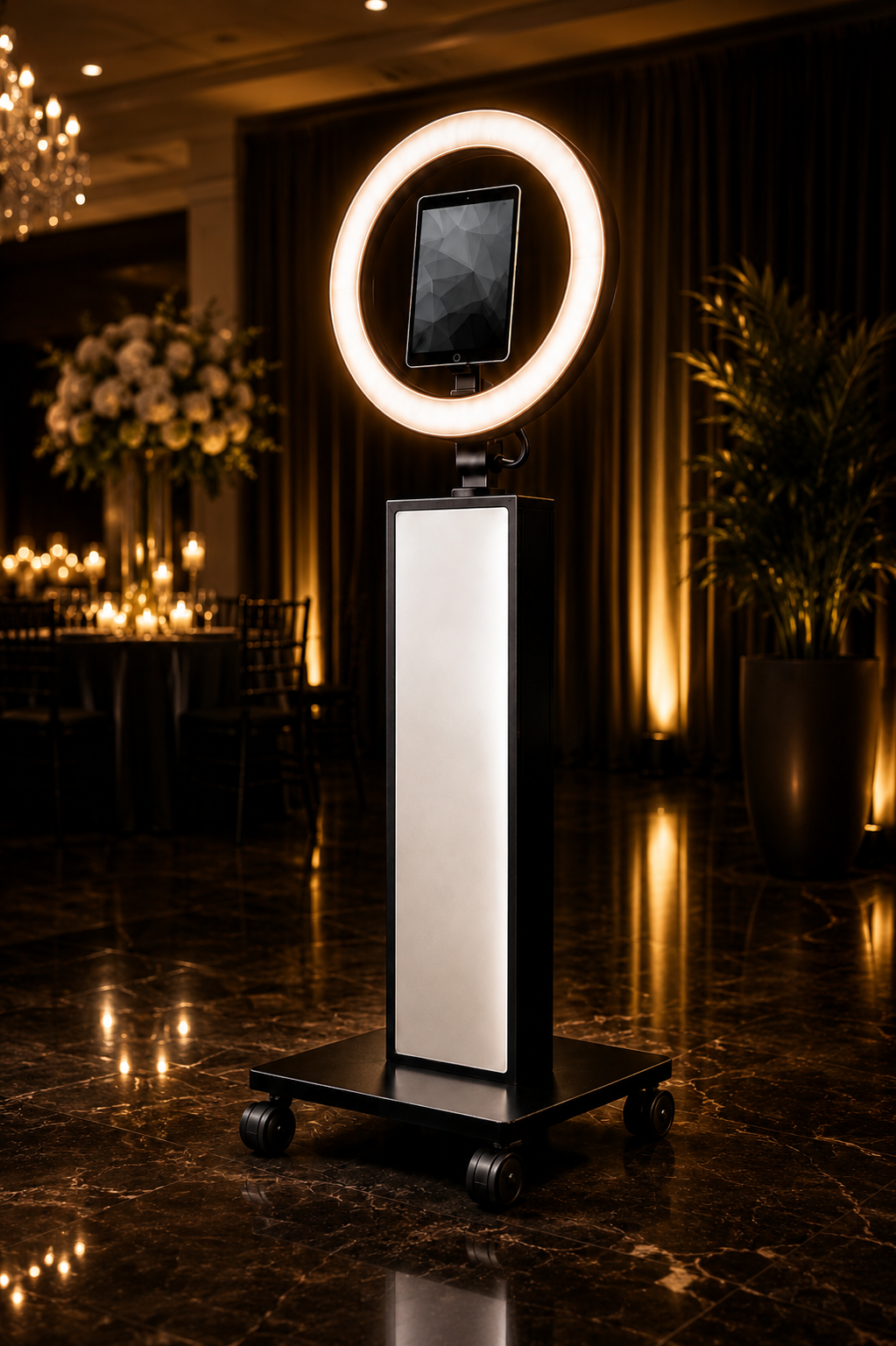
That's the core of a simple digital iPad photo booth setup. Your booth gives you the physical structure and lighting, the iPad handles the camera and touchscreen, and the software creates the guest experience.
THE THREE PIECES
I WOULD BUY FIRST.
Before worrying about printers, backdrops or props, get the actual photo booth working.
THE PHOTO BOOTH
This is the physical booth guests see. Look for something professional, sturdy, portable and easy to set up. Built-in lighting is a major plus because it removes another piece of equipment from your shopping list.
THE iPAD
In an iPad booth, the tablet does a lot of work. It's your camera, computer, touchscreen and the device running your photo booth software.
PHOTO BOOTH SOFTWARE
The software turns your iPad into the guest experience: countdowns, photos, GIFs, boomerangs, overlays, galleries and digital sharing.
YOUR PHOTO BOOTH
BUSINESS EQUIPMENT LIST.
Here's how I'd separate the things you actually need from the things you can add after the bookings start coming in.
PHOTO BOOTH
MUST HAVEThe physical booth structure. Look for portability, professional appearance, sturdy construction and good lighting.
iPAD
MUST HAVEYour camera, touchscreen and computer. Make sure your iPad is compatible with both the booth and the software you choose.
PHOTO BOOTH SOFTWARE
MUST HAVERuns the guest experience and handles your photos, GIFs, boomerangs, overlays and sharing.
LIGHTING
MUST HAVEGood lighting matters. If your booth already has a strong adjustable light built into it, this part of the equipment list may already be handled.
POWER + EXTENSION CORDS
MUST HAVEBring dependable extension cords, power connections and charging cables. Do not assume the perfect outlet will be sitting three feet from your booth.
TRAVEL CASE
VERY USEFULYou're going to move this equipment constantly. A good case protects the booth and makes loading and unloading much easier.
INTERNET BACKUP
VERY USEFULVenue Wi-Fi can be unpredictable. Know how your software behaves without internet and have a backup plan for sharing or syncing images when service is poor.
BACKDROP
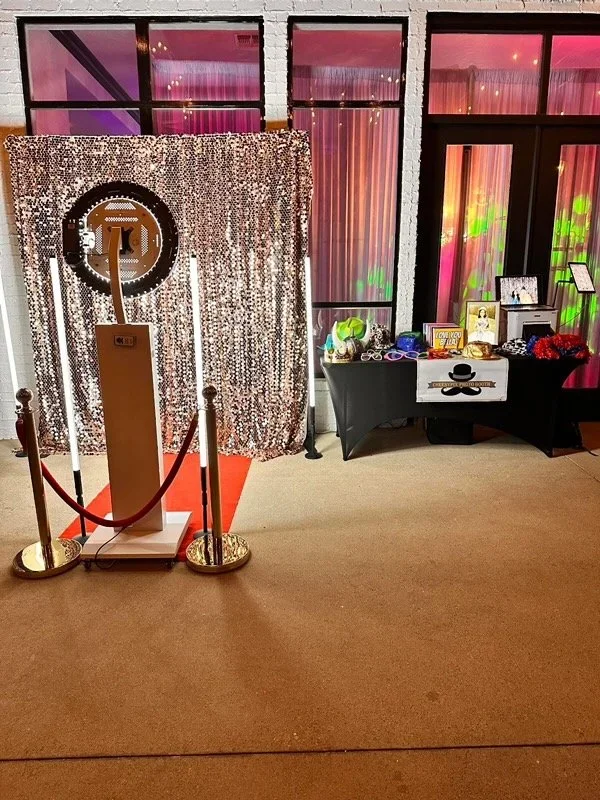
CAN WAITBackdrops are great, but they don't have to be a day-one purchase. Many venues already have attractive walls, décor or event spaces that work beautifully behind a booth.
PROPS
CAN WAITFun? Sure. Required? No. You can run an excellent modern photo booth without hauling a giant box of plastic hats to every event.
PHOTO PRINTER
CAN WAITPrinting is a great upgrade, but it adds cost, supplies, transportation and another piece of equipment to troubleshoot. Starting digital-only keeps things much simpler.
SECOND BOOTH
DEFINITELY LATERDon't buy booth number two because you hope you'll need it. Buy booth number two when you're getting enough bookings that one booth is becoming the problem.
PART OF YOUR
EQUIPMENT LIST IS
ALREADY HANDLED.
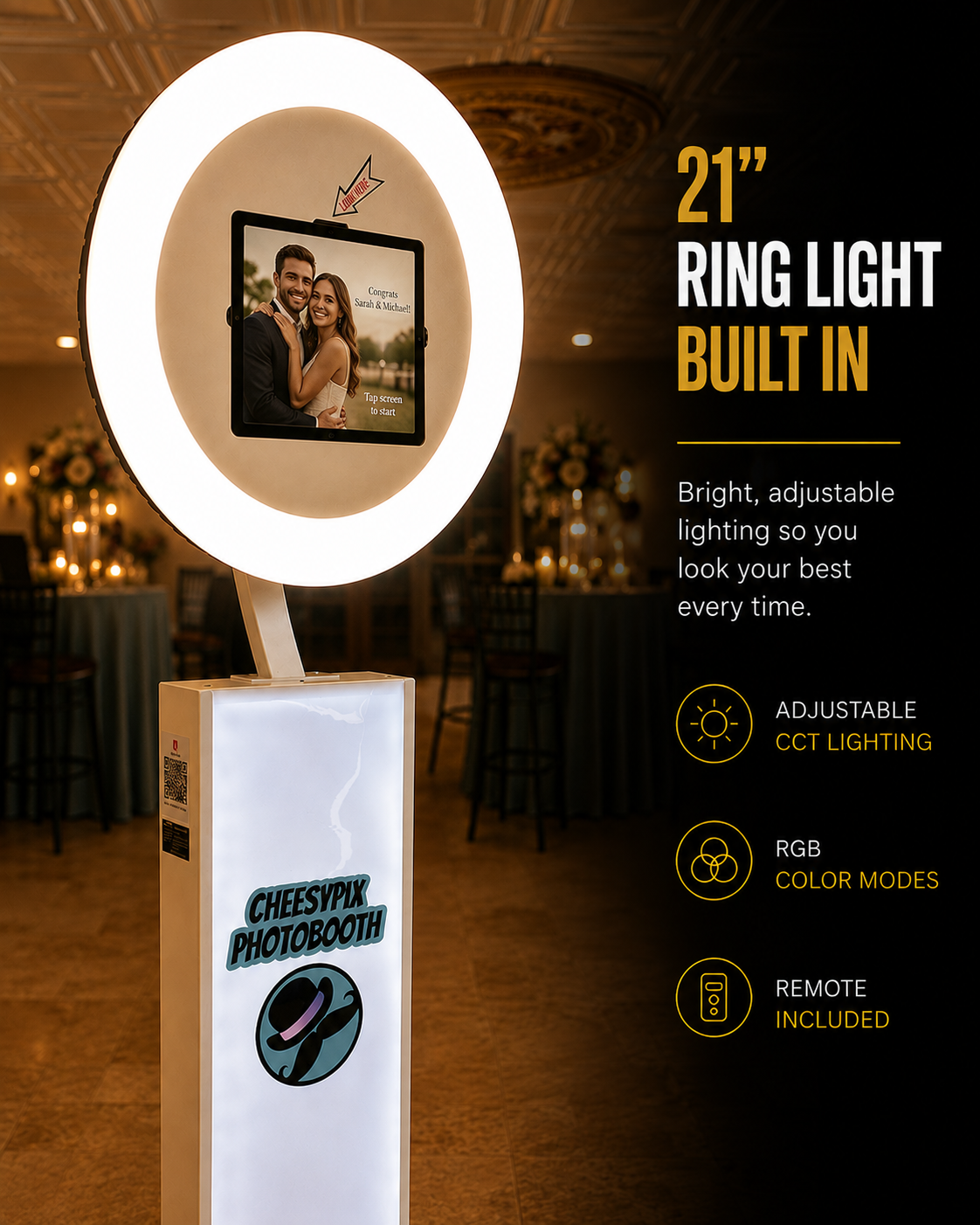
One reason I like the MWE iPad booth as a starter booth is that you're not just buying an empty stand for an iPad. Several pieces of the setup are already built into or included with the booth.
- RGB + adjustable white ring light
- Photo booth body
- Rolling base
- Rolling travel case
- iPad mounting panels
- Light remote
- Power cable
- Mounting hardware
- Installation tools
- Custom front graphic
WHAT SHOULD YOU BUY
NOW — AND WHAT SHOULD
YOU BUY LATER?
BUY FIRST
Concentrate your startup money on the things required to deliver the actual service.
- Photo booth
- Compatible iPad
- Photo booth software
- Dependable lighting
- Power and charging cables
- Safe transportation
ADD AS YOU GROW
Let your bookings and your customers tell you when these purchases make sense.
- Printer
- Backdrop collection
- Props
- Extra lighting
- Additional booth
- Other specialty equipment
THE LITTLE THINGS
YOU'LL BE GLAD
YOU PACKED.
The booth gets all the attention. These are the things that can quietly save an event.
DON'T BUILD A
STORAGE UNIT
BEFORE YOU BUILD
A BUSINESS.
Photo booth equipment is fun to buy.
That's part of the problem.
It's incredibly easy to convince yourself that you need three backdrops, a printer, two prop boxes, extra lighting, a fancy cart and six other things before you're ready to take a booking.
Meanwhile, none of that equipment has booked you a customer.
I'd rather put together one clean, reliable setup and spend the rest of my energy learning the software, getting good at events and finding customers.
Buy equipment because the business needs it — not because the internet made it look fun.
READY FOR THE
NEXT STEP?
Equipment is only one piece of starting the business. These guides will help you put the rest together.
PHOTO BOOTH EQUIPMENT
FAQ.
WHAT EQUIPMENT DO I NEED TO START A PHOTO BOOTH BUSINESS?
For a simple digital iPad photo booth business, the core equipment is a physical photo booth, a compatible iPad, photo booth software, dependable lighting and the cables and power supplies needed to operate the setup.
DO I NEED A DSLR CAMERA?
Not if you're building an iPad photo booth. The iPad provides the camera, computer and touchscreen, which is one reason an iPad setup can be simpler for a new operator.
DO I NEED A PHOTO PRINTER?
No. You can start with digital delivery and add printing later if your customers want it and it fits your business model.
DO I NEED A BACKDROP?
No. Backdrops are useful, but many venues have attractive walls, décor and event spaces that can work as the background. Backdrops can easily be added later.
WHAT DOES AN iPAD PHOTO BOOTH NEED?
At minimum, an iPad photo booth needs the physical booth, a compatible iPad, photo booth software, lighting and power. Depending on the booth you purchase, lighting, cases and other components may already be included.
SHOULD I BUY ALL MY PHOTO BOOTH EQUIPMENT AT ONCE?
Not necessarily. Starting with the core equipment and adding printers, backdrops, props and additional booths as demand grows can reduce the amount of money you invest before you have customers.
START WITH
THE BOOTH.
Get the core equipment right first. Then let your customers, bookings and revenue tell you what equipment to add next.