BEST PHOTO BOOTH
FOR STARTING A
PHOTO BOOTH BUSINESS.
If I were starting a photo booth business today, I wouldn't start by looking for the booth with the longest feature list. I'd look for something professional, simple, portable and ready to help me start taking bookings.
FOR A BEGINNER,
I'D KEEP IT
SIMPLE.
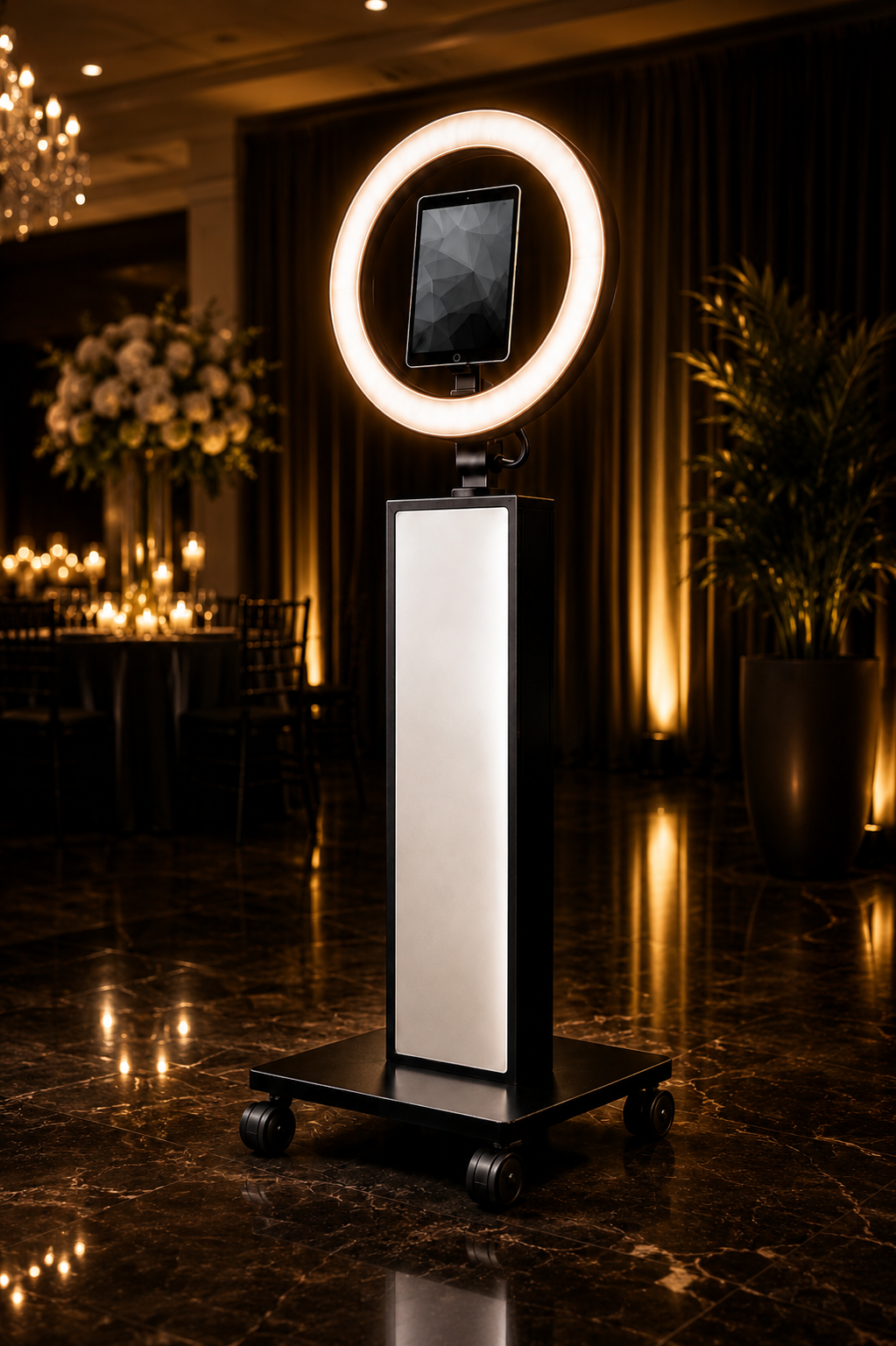
An iPad booth lets one device handle the camera, touchscreen and computer. Pair that with a booth that already has dependable lighting, a professional body and a good transportation setup, and you've removed a lot of complexity from your first events.
WHAT SHOULD YOU LOOK FOR
IN YOUR FIRST PHOTO BOOTH?
The best booth for an established company with multiple employees may not be the best booth for somebody trying to get their first five bookings. These are the things I'd care about most at the beginning.
IT SHOULD LOOK PROFESSIONAL.
You're putting this booth in weddings, parties, school events and company events. It shouldn't look like something you assembled from spare parts in the garage fifteen minutes before you arrived.
IT SHOULD BE EASY TO TRANSPORT.
You aren't buying furniture. This thing is going in and out of your vehicle constantly. Wheels, cases and a manageable setup matter more than people realize.
LIGHTING SHOULD BE SIMPLE.
Event spaces can be dark. A booth with dependable built-in lighting means one less stand, one less bag and one less thing to troubleshoot at the venue.
THE TECHNOLOGY SHOULD BE EASY TO LEARN.
Your first few events are not the time to manage a complicated camera system unless that's specifically the kind of booth business you want to build.
IT SHOULD WORK WITH YOUR BUSINESS.
Look at branding, software compatibility, device compatibility and the types of events you plan to serve before you buy.
YOU SHOULDN'T NEED A SECOND SHOPPING CART.
If buying the booth immediately creates a giant list of additional equipment required before you can use it, include those costs when comparing your options.
ONE DEVICE.
A WHOLE LOT
LESS COMPLICATED.
For somebody getting into the photo booth business, an iPad setup makes a lot of sense.
The iPad gives you the camera, screen and computer in one device. Add photo booth software and you've got the heart of the guest experience.
That doesn't mean an iPad booth is automatically better than every DSLR booth.
A DSLR setup can make sense if your business model requires a dedicated camera system, specialized lighting or a different type of image quality and workflow.
But if your goal is to start with something straightforward and learn the business without building a miniature photography studio, I like the simplicity of an iPad.
Your first booth should help you start — not become a second hobby you have to master first.
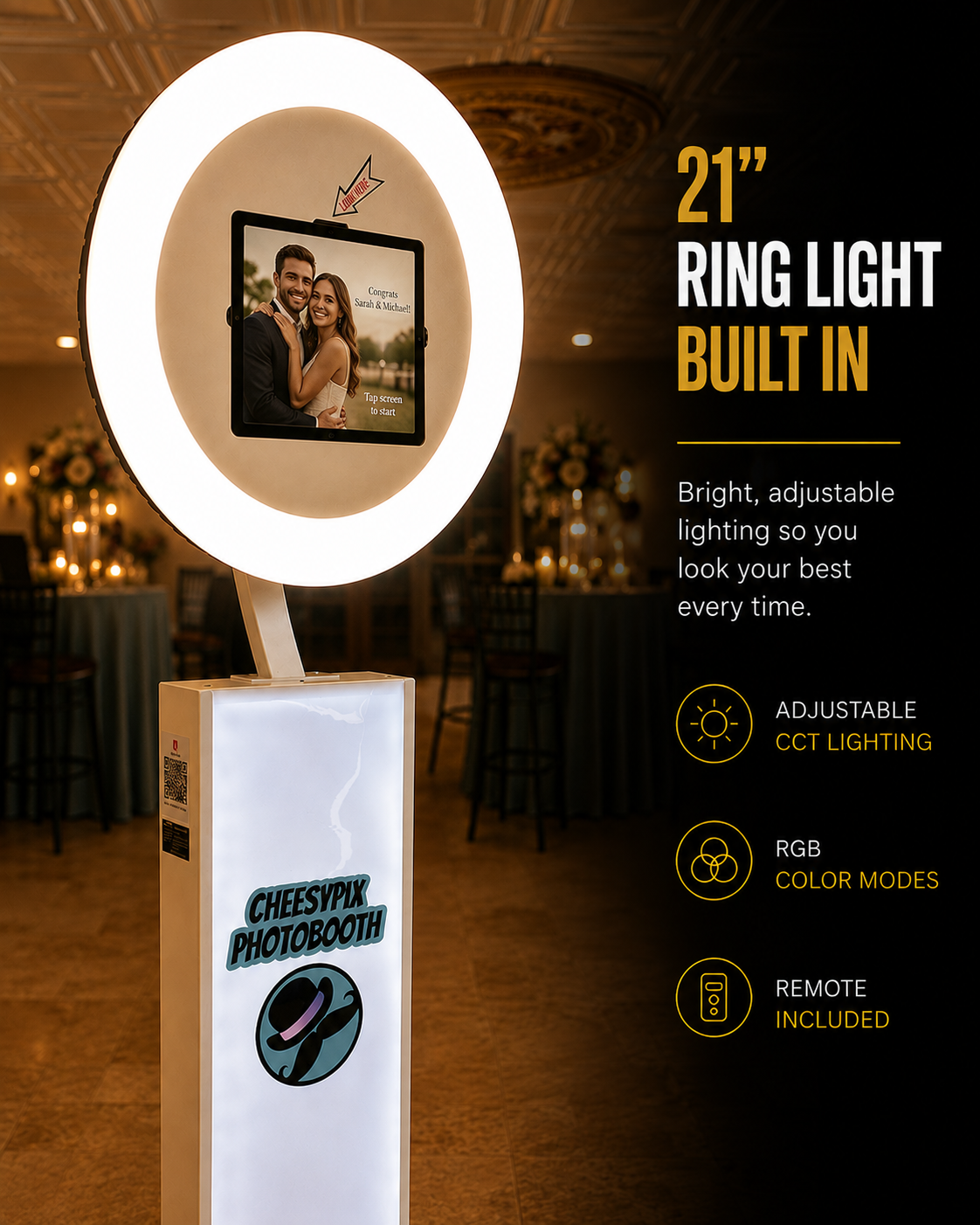
IT HANDLES A LOT
OF THE BASICS
RIGHT AWAY.
This is the part I like for a new operator. Several things I'd want in a starter setup are already built into the booth or included with it.
- Large built-in ring light
- Adjustable white lighting
- RGB lighting options
- Photo booth body
- Rolling base
- Rolling travel case
- iPad mounting panels
- Custom front graphic
WHAT COMES WITH
THE MWE BOOTH?
When you're comparing booths, don't compare only the booth body. Look at the equipment you're actually receiving and what you'll still have to buy separately.
WHO I'D RECOMMEND
THIS TYPE OF BOOTH
FOR.
GOOD FIT
I'd take a serious look at an iPad booth like this if:
- You're starting your first photo booth business
- You want a digital booth
- You want a relatively simple setup
- You want built-in lighting
- You want something you can brand
- You want a case for transportation
- You're planning weddings, parties or corporate events
- You want to start small and add equipment later
MAYBE LOOK ELSEWHERE
I'd compare other systems if:
- You specifically want a DSLR-based booth
- Your business requires a dedicated interchangeable-lens camera
- You need specialized studio-style lighting
- You already own another complete booth ecosystem
- You need equipment or features this package doesn't provide
iPAD OR DSLR
FOR YOUR FIRST BOOTH?
There isn't one right answer for every business. For a beginner, I care a lot about how quickly you can learn the setup and start delivering reliable events.
THE BEST BOOTH
ALSO HAS TO MAKE
BUSINESS SENSE.
Don't spend your entire startup budget on the physical booth and forget that you still need an iPad, software, business basics and money left to actually operate.
Compare what comes with the booth, what you already own and what you'll still have to purchase. A lower booth price isn't necessarily cheaper if it creates another long equipment list.
DON'T BUY FOR
THE BUSINESS YOU
MIGHT HAVE SOMEDAY.
This is where people can spend themselves into trouble.
They buy the booth they imagine needing when they're doing 300 events a year instead of the booth they need to get their first ten customers.
I'd rather have a simple professional booth working at a paid event than an incredible collection of equipment sitting at home.
Learn the business.
Learn what your customers actually ask for.
Then upgrade based on real demand.
Your first booth's job is to get you into business.
KEEP GOING
FROM HERE.
Choosing the booth is one decision. These guides will help you put the rest of your startup together.
CHOOSING YOUR FIRST
PHOTO BOOTH FAQ.
WHAT IS THE BEST PHOTO BOOTH FOR STARTING A PHOTO BOOTH BUSINESS?
For many beginners, a professional iPad booth is a practical place to start because the iPad can handle the camera, touchscreen and computer. Look for a booth that is professional, portable, well lit and compatible with the software you plan to use.
IS AN iPAD PHOTO BOOTH GOOD FOR BEGINNERS?
Yes. An iPad booth can simplify the setup because one device handles several important functions. It can be especially useful for someone planning to offer digital photos, GIFs and boomerangs.
IS A DSLR PHOTO BOOTH BETTER THAN AN iPAD BOOTH?
Not automatically. DSLR systems offer different camera options and greater camera control, while iPad booths can offer a simpler and more compact workflow. The better choice depends on the type of photo booth business you want to operate.
WHAT SHOULD I LOOK FOR WHEN BUYING MY FIRST PHOTO BOOTH?
Look at appearance, portability, lighting, device compatibility, software compatibility, transportation, what's included in the package and what additional equipment you'll need to purchase.
DOES THE MWE PHOTO BOOTH COME WITH AN iPAD?
The iPad itself is separate. You'll need to supply a compatible iPad and choose your own photo booth software.
DO I NEED A PRINTER WITH MY FIRST PHOTO BOOTH?
No. You can begin with a digital-only photo booth and add printing later if your customers request it and it makes sense for your business.
SHOULD I BUY MORE THAN ONE PHOTO BOOTH WHEN I START?
Usually there is no need to begin with multiple booths. One reliable setup gives you a chance to learn the business and determine whether additional booths are justified by demand.
TAKE A LOOK AT
THE MWE iPAD BOOTH.
Check the current price, options and package details and decide whether it fits the kind of photo booth business you want to build.